Our biggest update since launch: your landlords, the Overview and the property page
Every landlord on your account now has its own section, the Overview shows this month's rent, the property page shows only the certificates that apply, and documents are signed by each joint tenant.
This is the largest update to LetSorted since we launched, and a lot has changed at once: where your landlords live, what the Overview shows, how the property page is laid out, and how documents are signed. Below is what you can now do, area by area. If anything looks wrong or confusing, reply to the email this came with, or write to [email protected], and we will put it right, usually within a working day.
Every landlord on your account, in one place
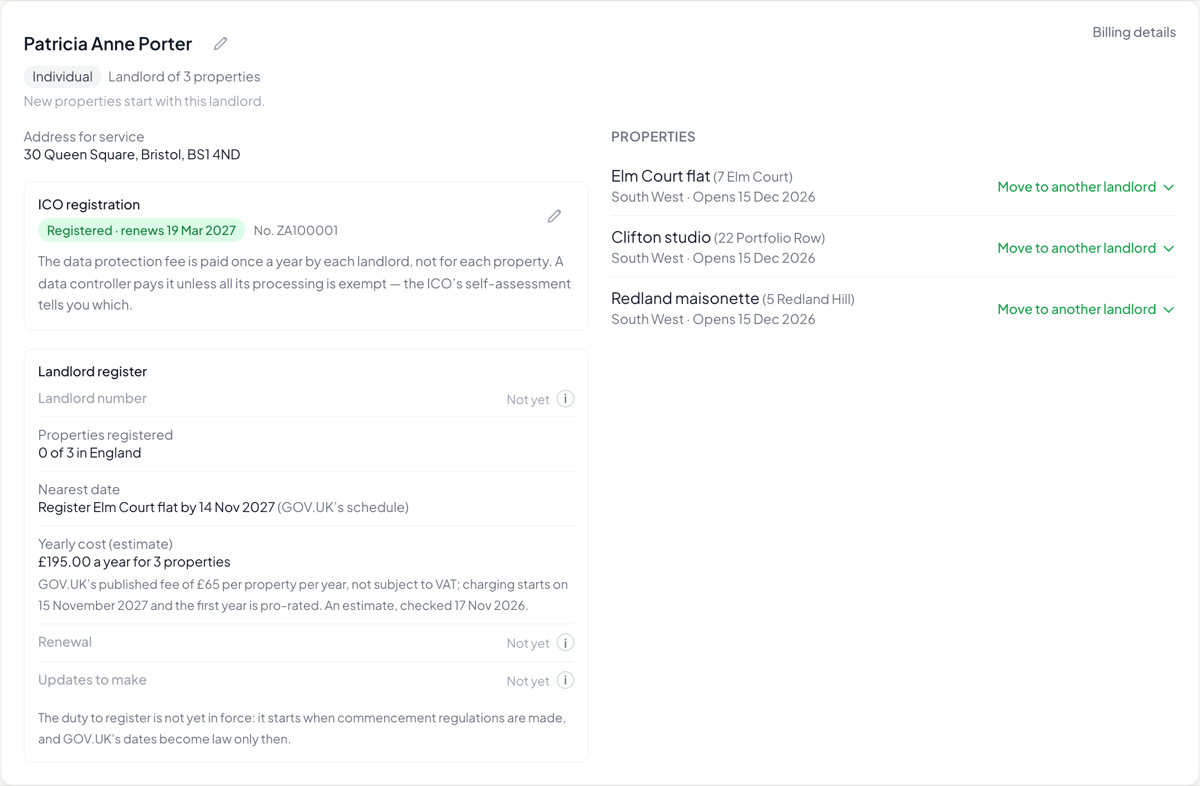
The person, joint owners or company that legally lets each property now has its own place: Landlords, in the menu on the left. Each landlord shows its legal name (or the company's name, number and registered office), its address for service, what it still needs, and the properties it lets. Every agreement and notice we generate names the property's landlord from there — never your account name or login email.
ICO registration is held once for each landlord, not per property, and we email you 30 and 7 days before the renewal date you record. Read more in our guide Do landlords need to register with the ICO?
The landlord register
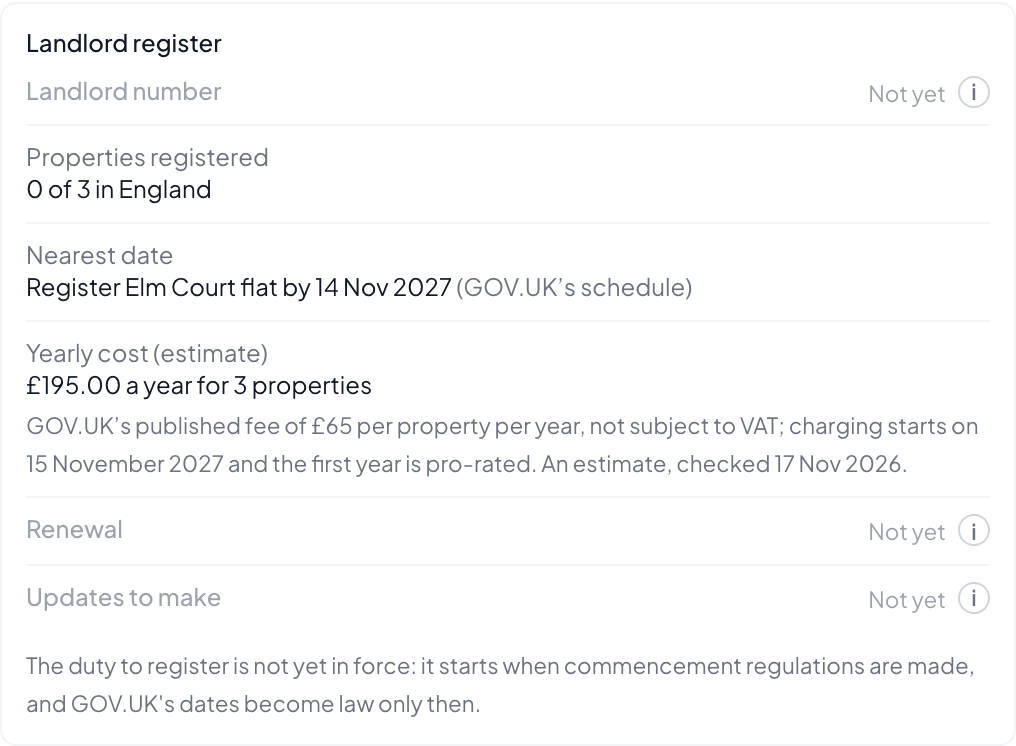
The government's Register your rental property service opens on 15 December 2026. GOV.UK says registering then becomes required region by region, each region with a three-month window, starting with the West Midlands and ending with the South West on 14 November 2027. The duty to register is not yet in force: it starts when the government makes the commencement regulations, and the dates are the government's published schedule.
Each of your properties shows its region and GOV.UK's dates, worked out from its postcode. Each landlord shows the nearest deadline across its properties and an estimate of the yearly register fee for them, at GOV.UK's published fee and labelled as an estimate. Nothing is registered for you. Check any address with the free When must I register? checker, and read our landlord register guide.
Billing, one card per landlord
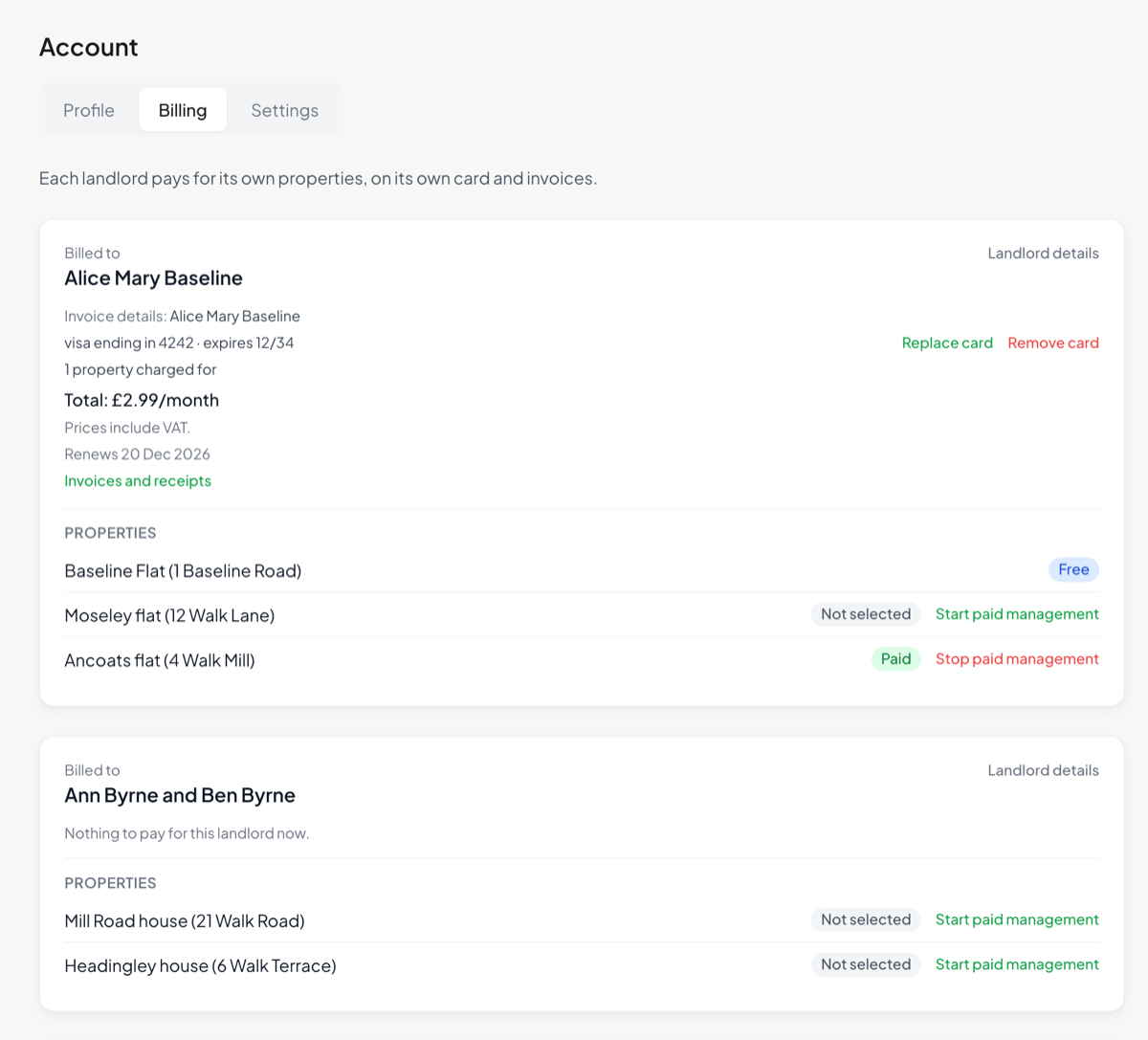
Billing is in the account menu, at the bottom left. Each landlord has its own card: who is billed, the card on file, invoices and receipts, and what is charged.
The Overview
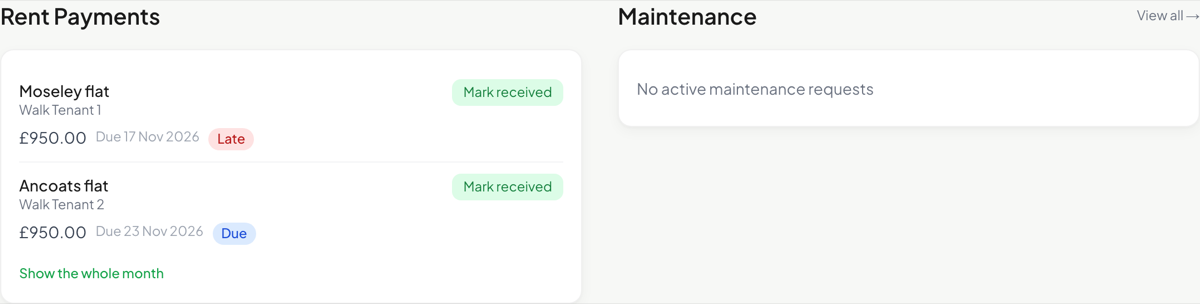
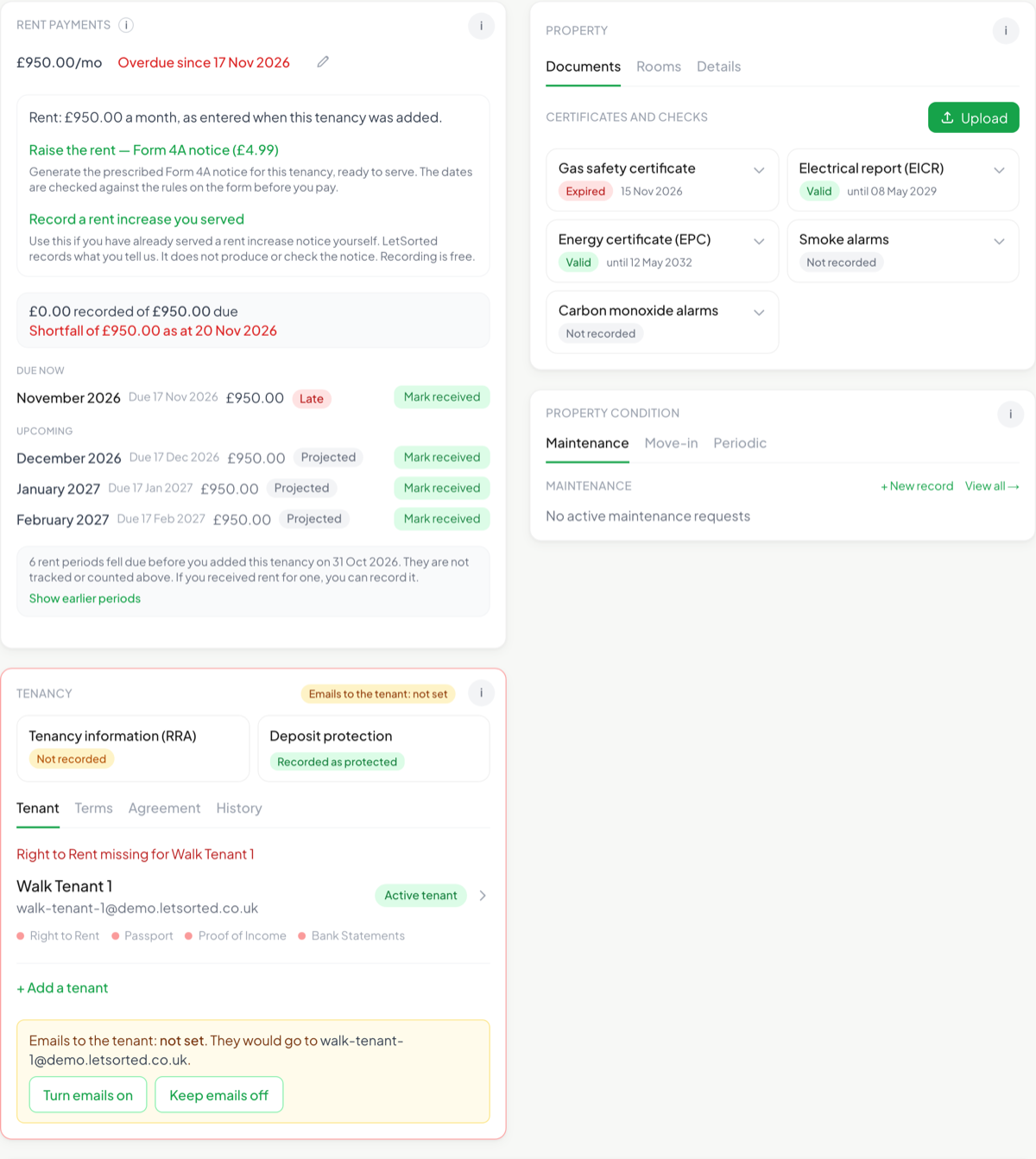
The Overview now opens with this month's rent across every tenancy with a payment day: anything late first, then what falls due in the next seven days, with the rest of the month a click away. Record a payment right there with Mark received — the same form as on the property page. Nothing records a payment automatically.
Maintenance sits beside it, with your properties and landlords below. When something is overdue or urgent, a red marker appears on Properties or Landlords in the left menu, and says what on hover or tap.
The property page
The property page uses the full width: Rent Payments and Tenancy on one side, the property and its condition on the other, and a Details tab for the property's own facts.
Certificates and checks are now rows that show only what applies to the property: gas safety only where there is a gas supply, carbon monoxide alarms where there is a fixed combustion appliance, smoke alarms, the electrical report and the EPC. Read what the law requires for smoke and carbon monoxide alarms.
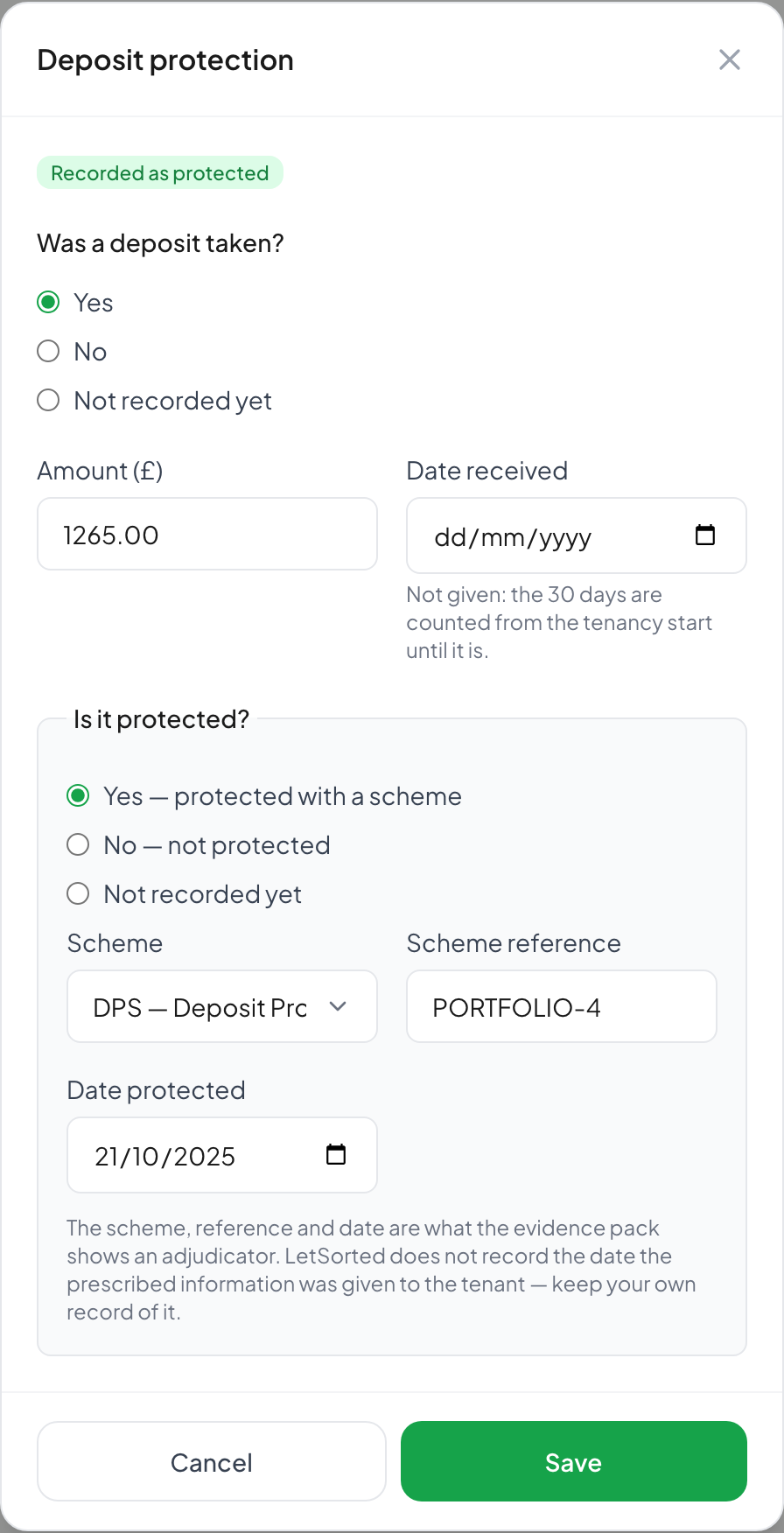
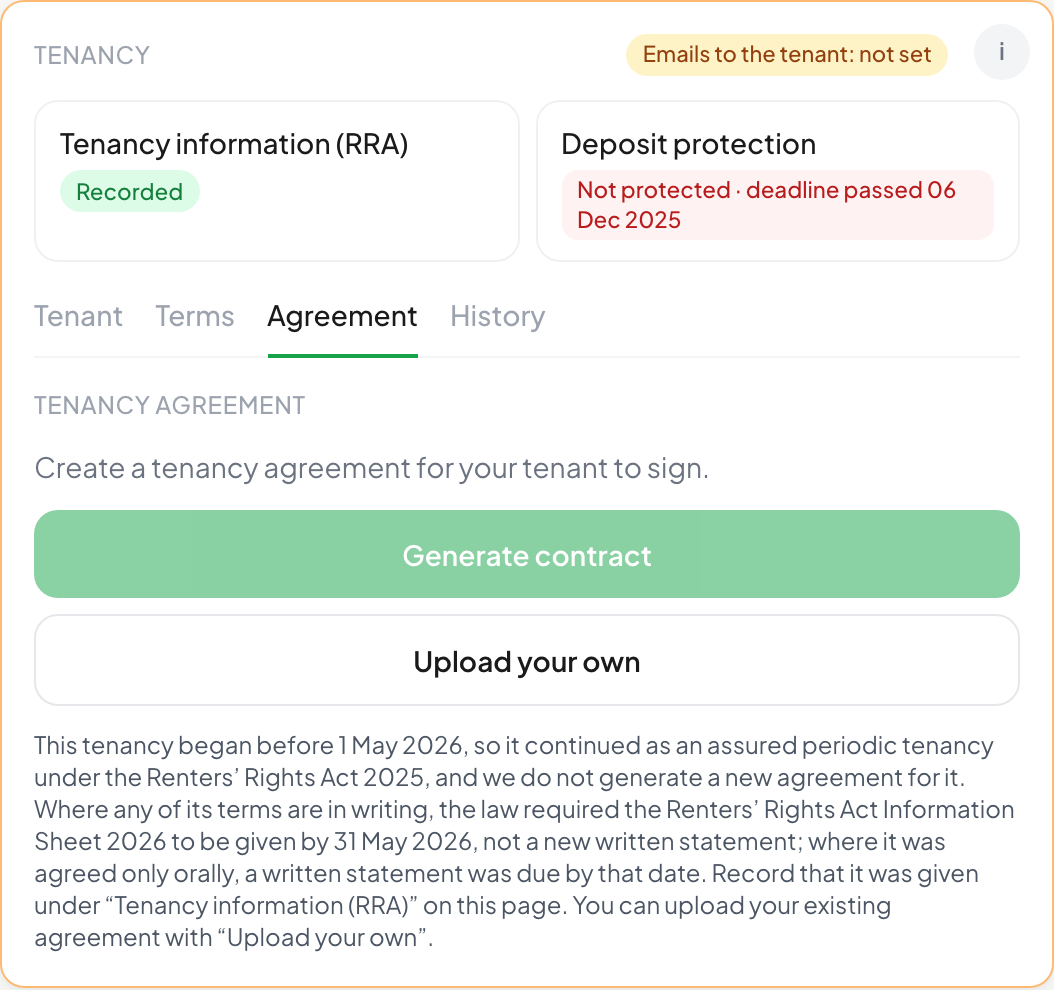
The deposit is recorded in two plain questions: was a deposit taken, and is it protected. Where it is not recorded as protected, the tenancy shows the last day to protect it — 30 days beginning with the day the deposit was received — and once that day has passed, it says the deadline has passed. Read deposit protection schemes explained.
Documents
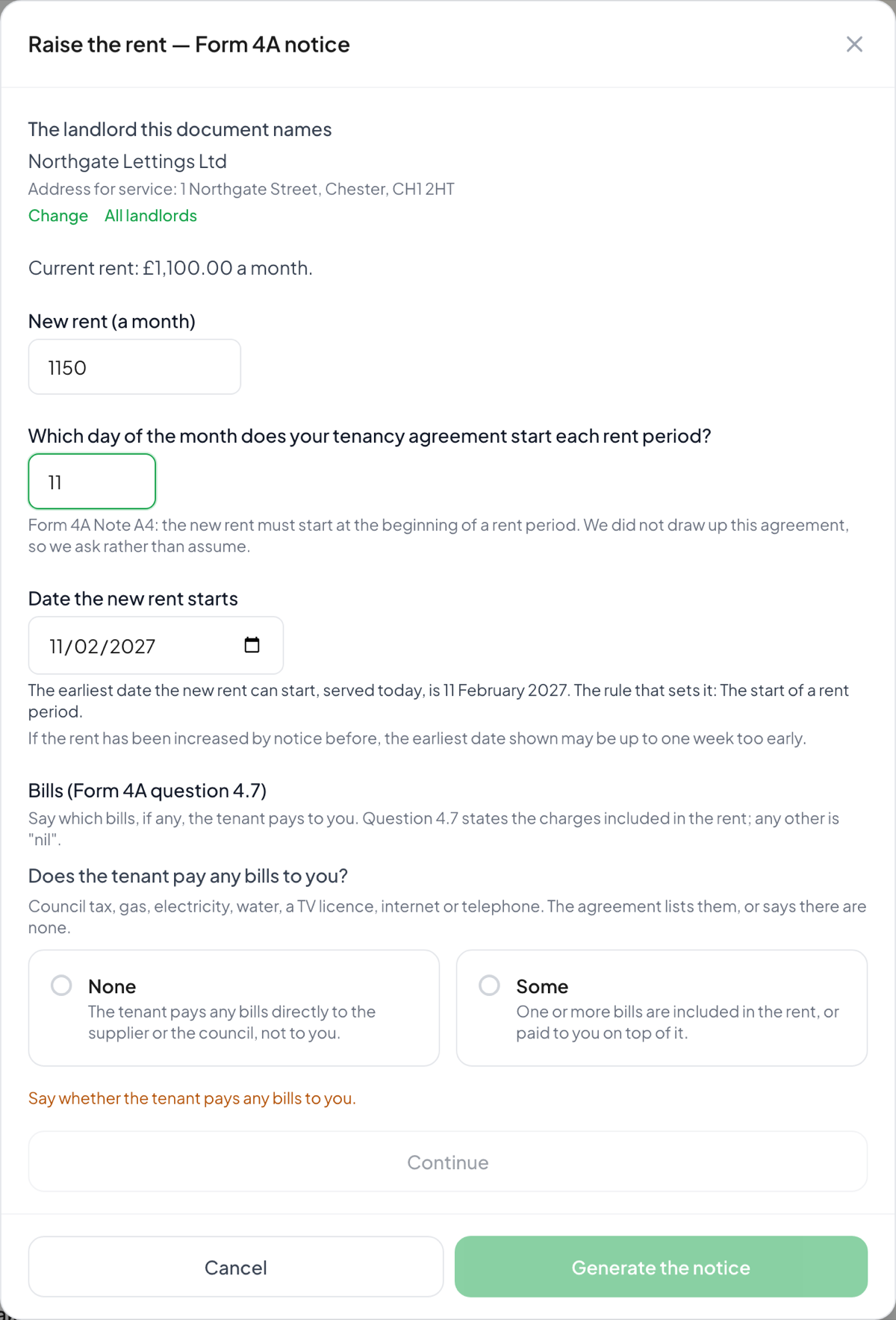
Rent increases. From a tenancy, Raise the rent generates the prescribed Form 4A notice, with the new rent's date checked against the rules on the form before it is generated. The same checks run in the free Rent Increase Date Checker; read how a section 13 notice works.
Joint tenants. Each joint tenant on a generated agreement now gets their own signing link and signs separately, and the agreement is complete when you and every tenant have signed.
The signed copy. When the last person signs, we email you and each tenant the signed agreement as a PDF, with its fingerprint — a code worked out from that exact file, so the copy you hold can be matched to the one that was signed.
A tenant's email added later. Adding a tenant's email or phone after the agreement was generated no longer stops it being signed: the tenant is sent their link.
Smaller fixes
- A certificate's date is no longer hidden by an older upload: the current certificate is the one you recorded as current.
- When you add a property, we fill in the town from the postcode.
- When Generate contract cannot be used, we say why beside it and what you can do instead.
If anything looks wrong or confusing, reply to the email this came with, or write to [email protected], and we will put it right, usually within a working day.
Found this useful? Share with other landlords: